Best Freelancing Websites for Beginners in 2026: 10 Platforms to Find Your First Client

Are you looking for the best freelancing websites for beginners in 2026? If you want to work from home, earn money online, and become financially independent, freelancing can be a practical way to get started.
Freelancing allows you to offer your skills and services to clients without working as a full-time employee. You can work as a freelance writer, graphic designer, virtual assistant, social media manager, video editor, web developer, or online researcher.
One of the biggest challenges beginners face is finding their first client. Fortunately, several websites connect freelancers with individuals, entrepreneurs, and businesses looking for professional services.
However, not every freelancing website works the same way. Some allow you to create service listings and wait for customers, while others require you to apply for advertised projects.
In this guide, we’ll explore 10 of the best freelancing websites for beginners in 2026, explain how each platform works, and show you how to choose the right one—even if you have no previous freelancing experience.
What Is a Freelancing Website?
A freelancing website is an online platform that connects independent professionals with clients who need specific services.
For example, a business owner might visit a freelancing website to hire someone to design a logo, write blog articles, manage emails, edit videos, or build a website.
As a freelancer, you create a profile, showcase your skills, and connect with potential clients. Depending on the platform, you may apply for jobs, publish service listings, or receive invitations from customers.
Most freelancing platforms charge fees for using their services or processing payments. It’s important to understand these charges before accepting a project.
10 Best Freelancing Websites for Beginners in 2026
Here are some platforms worth exploring if you’re starting your freelance career.
1. Upwork
Website: https://www.upwork.com/
<em>Best for: Freelancers who want to apply for different types of projects.</em>
Upwork is one of the most popular freelance marketplaces, connecting businesses with independent professionals across different industries.
You can find opportunities in:
- Content writing and copywriting.
- Graphic design.
- Virtual assistance.
- Data entry.
- Web development.
- Social media management.
- Video editing.
- Customer support.
- Digital marketing.
How Upwork works
First, create a freelancer account and complete your profile. Add your professional title, skills, experience, portfolio, and hourly rate.
You can then search for available projects and submit proposals explaining why you’re suitable for each job.
Clients review applications and may invite selected freelancers for interviews before making a hiring decision.
Why beginners should consider Upwork
- It offers opportunities across many industries.
- You can apply for short-term and long-term projects.
- You can build relationships with repeat clients.
- You can develop a professional work history.
Things to consider
Upwork uses Connects for submitting proposals. Some Connects may be included with an account, but additional Connects can cost money. Freelancer service fees currently range from 0% to 15%, depending on the contract.
Beginners should apply selectively instead of spending Connects on every available job.
2. Fiverr
Website: https://www.fiverr.com/
<em>Best for: Beginners who want to sell specific services.</em>
Fiverr is a freelance marketplace where you create service listings known as Gigs.
Instead of applying for every job, you describe what you can offer, set your prices, and allow interested customers to place orders.
Examples of services you can sell include:
- Writing blog posts.
- Designing business flyers.
- Creating social media graphics.
- Editing short videos.
- Writing product descriptions.
- Providing virtual assistant services.
- Transcribing audio.
- Creating presentations.
How Fiverr works
Create a seller profile and publish a Gig describing your service.
For example, if you’re a graphic designer, you could create a Gig titled:
“I will design professional social media posts for your business.”
Explain what customers will receive, provide examples of your work, and set clear prices.
When a buyer places an order, you complete the work and submit it through Fiverr.
Why beginners should consider Fiverr
- You can start with a clearly defined service.
- You don’t have to submit proposals for every job.
- You can create multiple Gigs for different services.
- You can showcase your portfolio.
Things to consider
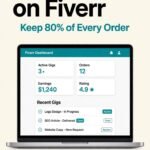
Fiverr credits sellers with 80% of the purchase amount for standard completed orders. This means the platform retains 20%.
Competition can be high, so use clear Gig titles, professional samples, competitive pricing, and accurate descriptions.
3. Freelancer.com
Website: https://www.freelancer.com/
<em>Best for: Beginners who want to explore different projects and bidding opportunities.</em>
Freelancer.com is an international marketplace where clients post projects and freelancers submit bids to compete for the work.
You can find jobs in areas such as:
- Writing and translation.
- Website development.
- Graphic design.
- Data entry.
- Digital marketing.
- Mobile app development.
- Video editing.
- Virtual assistance.
How Freelancer.com works
Create an account, complete your profile, and browse available projects.
When you find a suitable opportunity, submit a bid explaining your approach, price, and expected delivery time.
Clients review bids and choose the freelancer they want to work with.
The platform also offers contests in some categories, where clients select from submitted entries. However, submitting work to a contest does not guarantee payment.
Why beginners should consider Freelancer.com
- It offers projects across many skill categories.
- You can find both small and larger assignments.
- You can explore contests to practise and showcase your skills.
- It provides another marketplace for building freelance experience.
Things to consider
There can be considerable competition for projects. Read the payment terms and project requirements carefully before bidding.
4. PeoplePerHour
Website: https://www.peopleperhour.com/
<em>Best for: Freelancers offering professional services to businesses.</em>
PeoplePerHour is a freelance platform that connects businesses with independent professionals.
Popular service categories include:
- Content writing.
- Graphic design.
- Website development.
- SEO.
- Social media management.
- Business administration.
- Marketing.
- Video production.
How PeoplePerHour works
You create a profile describing your professional skills and experience. You can then search for projects and submit proposals.
The platform also allows freelancers to create predefined service offers that customers can purchase.
Why beginners should consider PeoplePerHour
- It offers different types of freelance projects.
- You can showcase your services.
- You can connect with businesses looking for ongoing support.
- It provides another way to find clients beyond the largest marketplaces.
Things to consider
Your application may need to be reviewed before you can start selling. Competition and the availability of projects can vary by skill and location.
5. Guru
Website: https://www.guru.com/
<em>Best for: Freelancers looking for flexible project arrangements.</em>
Guru is another online marketplace where independent professionals connect with businesses and individuals.
You can explore opportunities in:
- Writing and editing.
- Programming.
- Design.
- Administrative support.
- Sales and marketing.
- Engineering.
- Business services.
How Guru works
Create a freelancer profile, add your skills, and search for jobs that match your abilities.
You can submit quotes for suitable projects and discuss the client’s requirements before agreeing on the work.
Guru also offers workroom features to help freelancers and clients organise projects and communicate.
Why beginners should consider Guru
- It covers a wide range of professional services.
- You can create a profile showcasing your skills.
- It offers different project arrangements.
- You can use it alongside other freelance platforms.
Things to consider
The number of suitable beginner-level projects may vary. Review membership options, transaction fees, and payment conditions before using the platform.
6. Contra
Website: https://contra.com/
<em>Best for: Creatives and independent professionals building a portfolio.</em>
Contra is a platform that helps independent professionals showcase their work, connect with clients, and manage freelance projects.
It is particularly useful for people offering:
- Graphic design.
- Brand identity design.
- Web design.
- Illustration.
- Content creation.
- Marketing.
- Video production.
- Creative services.
How Contra works
You create a professional profile and add examples of your work.
Your profile acts as a portfolio where potential clients can learn about your services and experience.
You can also explore opportunities and manage client projects through the platform.
Why beginners should consider Contra
- It places emphasis on portfolios and professional presentation.
- You can showcase creative projects.
- It can help you establish an online professional presence.
- It offers tools for managing freelance work.
Things to consider
Not every type of beginner service will have the same number of opportunities. Check the platform’s current payment processing charges and terms, even when its freelancer commission model is advertised as commission-free.
7. LinkedIn
Website: https://www.linkedin.com/
<em>Best for: Finding clients through networking and professional connections.</em>
LinkedIn is not a traditional freelancing marketplace, but it is one of the most useful platforms for freelancers who want to connect directly with potential clients.
You can use LinkedIn to find:
- Business owners.
- Startup founders.
- Marketing agencies.
- Entrepreneurs.
- Recruiters.
- Consultants.
- Companies looking for freelance professionals.
How LinkedIn works
Create a professional profile that explains the services you offer.
For example, your headline could be:
“Freelance Virtual Assistant | Email Management | Data Entry | Administrative Support.”
Share useful content related to your skills, connect with relevant professionals, and look for posts advertising freelance opportunities.
You can also contact businesses with personalised messages introducing your services.
Why beginners should consider LinkedIn
- You can build professional relationships.
- You can connect with potential clients directly.
- You can showcase your expertise.
- You can discover freelance and remote job opportunities.
Things to consider
Finding clients through LinkedIn requires consistent networking. Avoid sending unsolicited mass messages or spamming people with repeated service offers.
8. Toptal
Website: https://www.toptal.com/
<em>Best for: Experienced freelancers with specialised skills.</em>
Toptal connects businesses with professionals in areas such as software development, design, finance, and project management.
It is known for a selective screening process that evaluates applicants before they can join its talent network.
Why consider Toptal?
- It focuses on specialised professional talent.
- It connects freelancers with businesses seeking experienced professionals.
- It can be useful for freelancers with strong portfolios and proven expertise.
Things to consider
Toptal is not usually the best first platform for someone with no experience. Its screening process makes it more suitable for freelancers who have already developed strong skills and completed relevant projects.
9. FlexJobs
Website: https://www.flexjobs.com/
<em>Best for: Finding remote, flexible, and freelance job opportunities.</em>
FlexJobs is a job-search platform that focuses on flexible work arrangements.
You can find opportunities in areas such as:
- Writing.
- Customer service.
- Virtual assistance.
- Marketing.
- Administration.
- Project management.
- Technology.
Unlike a traditional freelance marketplace, many listings are remote employment opportunities rather than independent freelance contracts.
Why beginners should consider FlexJobs
- It focuses on flexible and remote work.
- You can explore different job categories.
- It may help you find contract or part-time opportunities.
- It provides another route to discovering remote work.
Things to consider
FlexJobs has paid subscription options. Check the current pricing and job eligibility requirements before subscribing. Also confirm whether a listing is freelance, temporary, part-time, or full-time employment.
10. We Work Remotely
Website: https://weworkremotely.com/
<em>Best for: Discovering remote work opportunities from companies around the world.</em>
We Work Remotely is a remote job board where companies advertise positions that can be performed outside a traditional office.
You may find listings in:
- Customer support.
- Marketing.
- Sales.
- Programming.
- Design.
- Writing.
- Operations.
- Management.
Some jobs are freelance or contract-based, while others are full-time positions.
Why beginners should consider We Work Remotely
- You can discover opportunities beyond freelance marketplaces.
- It features remote roles across different industries.
- You can explore companies hiring distributed teams.
- It provides another place to search for online work.
Things to consider
Not every advertised job is suitable for beginners or open to applicants worldwide. Check the location, experience, and employment requirements before applying.
Comparison of the Best Freelancing Websites for Beginners
Here is a quick comparison to help you choose the right platform.
| Website | Best For | How You Find Work |
|---|---|---|
| Upwork | Different freelance projects | Submit proposals |
| Fiverr | Selling specific services | Create Gigs |
| Freelancer.com | Bidding on projects | Submit bids |
| PeoplePerHour | Professional services | Apply and create offers |
| Guru | Flexible freelance projects | Submit quotes |
| Contra | Creative professionals | Portfolio and opportunities |
| Networking and direct clients | Connect and reach out | |
| Toptal | Experienced specialists | Screening and selection |
| FlexJobs | Flexible and remote jobs | Search job listings |
| We Work Remotely | Remote job opportunities | Search job listings |
Remember that job boards such as FlexJobs and We Work Remotely are not exclusively freelance marketplaces. They are included because they can help you discover contract and remote work opportunities.
Which Freelancing Website Is Best for Beginners?
The best platform depends on your skills and the type of work you want to do.
Here are some simple recommendations:
If you’re a freelance writer: Start by exploring Upwork, Fiverr, Freelancer.com, and LinkedIn.
If you’re a graphic designer: Consider Fiverr, Contra, Upwork, and Freelancer.com.
If you’re a virtual assistant: Explore Upwork, Fiverr, PeoplePerHour, and LinkedIn.
If you’re a social media manager: Try Fiverr, Upwork, Contra, and LinkedIn.
If you’re a web developer: Explore Upwork, Freelancer.com, Contra, and eventually Toptal if you develop the required experience.
If you’re looking for remote employment as well as freelance work: Explore FlexJobs and We Work Remotely.
For most complete beginners, Fiverr and Upwork are sensible starting points because they offer different ways to connect with clients. You can begin with one platform and expand to another when you understand how freelancing works.
How to Start Freelancing With No Experience
Joining a freelancing website is only the first step. You also need to convince clients that you can deliver quality work.
Follow these steps to get started.
Step 1: Choose a Freelance Skill
Start by identifying something you can do or are willing to learn.
Some beginner-friendly services include:
- Freelance writing.
- Virtual assistance.
- Data entry.
- Social media management.
- Canva graphic design.
- Video editing.
- Online research.
- Transcription.
- Presentation design.
Choose one or two services rather than trying to offer everything.
Step 2: Learn the Necessary Tools
Develop the skills and software knowledge required for your chosen service.
For example:
- Writers can learn Google Docs, Grammarly, and basic SEO.
- Virtual assistants can learn Google Workspace, Microsoft Excel, and Trello.
- Graphic designers can practise with Canva.
- Video editors can learn CapCut or other editing software.
- Social media managers can learn Canva and social media scheduling tools.
You can find free beginner tutorials online.
Step 3: Create Sample Projects
You don’t need a paying client to build a portfolio.
Create sample work that demonstrates your abilities.
For example, a beginner writer can prepare three sample blog articles. A graphic designer can create five social media designs. A virtual assistant can prepare a sample spreadsheet and weekly calendar.
Clearly identify practice projects as samples rather than paid client work.
Step 4: Build a Professional Portfolio
Your portfolio should show potential clients what you can do.
You can use Canva, Google Drive, Notion, or a personal website.
Include:
- A short introduction.
- Your freelance services.
- Your skills and tools.
- Examples of your work.
- Your contact details.
Keep everything organised and easy to view.
Step 5: Create Your Freelance Profile
Choose a professional profile picture and write a clear description of your services.
For example:
“Hello! I’m a freelance virtual assistant who helps entrepreneurs and small businesses with email management, data entry, online research, and administrative support. I am organised, detail-oriented, and committed to delivering accurate work on time.”
Make sure your profile explains how you can help clients rather than simply listing personal qualities.
Step 6: Start Applying for Jobs
Search for opportunities that match your skills.
Use keywords such as:
- Beginner freelance writer.
- Entry-level virtual assistant.
- Canva graphic designer.
- Social media assistant.
- Data entry freelancer.
- Remote customer support.
- Junior video editor.
Read job descriptions carefully and submit personalised applications.
Step 7: Deliver Quality Work
When you get your first client, focus on doing the job properly.
Communicate clearly, meet deadlines, follow instructions, and ask questions when necessary.
Good work can lead to positive reviews, repeat projects, and referrals.
Can You Make Money Freelancing From Nigeria?
Yes, Nigerians can pursue freelance opportunities with international and local clients, but the availability of individual platforms and payment methods depends on their current country policies.
If you’re in Nigeria, consider these practical steps:
1. Check platform eligibility. Before creating an account, confirm that the website accepts freelancers in your country and that you can complete its verification process.
2. Confirm withdrawal methods. Check whether the platform supports payment methods that you can use in Nigeria. Review withdrawal fees, exchange rates, and minimum withdrawal amounts.
3. Understand the client’s time zone. International clients may work in different time zones. Confirm whether you need to be available during specific hours.
4. Prepare reliable internet access. A stable internet connection is important for communicating with clients and completing assignments.
5. Keep track of your earnings. Record payments, expenses, and invoices, and understand any applicable tax obligations.
Don’t assume that a payment service or withdrawal option available in another country will automatically be available to Nigerian users.
Tips for Getting Your First Freelance Client
Getting your first client can take time, but these tips can improve your chances.
1. Start With Small Projects
You don’t have to begin with a large contract. Smaller projects can help you gain experience and demonstrate your reliability.
2. Create a Strong Portfolio
Clients want evidence that you can do the work. Even three good samples can help you present yourself professionally.
3. Write Personalised Proposals
Avoid sending identical applications to every client. Explain how your skills match the specific project.
4. Choose a Clear Niche
Instead of advertising yourself as a general freelancer, describe what you specialise in.
For example, “SEO blog writer for small businesses” is more specific than simply saying “freelancer.”
5. Be Professional
Respond to messages politely, agree on realistic deadlines, and keep clients updated.
6. Avoid Scams
Never pay someone who promises to guarantee you a freelance job. Be cautious of suspicious payment requests, fake checks, requests to move payments outside protected platform systems, and offers that sound too good to be true.
Use the platform’s official payment and communication processes where required.
Common Mistakes Beginners Should Avoid
If you’re new to freelancing, try to avoid these mistakes:
- Creating a profile without adding portfolio samples.
- Applying for jobs you don’t understand.
- Sending generic proposals.
- Offering too many unrelated services.
- Setting unrealistic prices.
- Ignoring client instructions.
- Accepting work without agreeing on the scope and deadline.
- Paying for fake job opportunities.
- Giving up after a few unsuccessful applications.
Freelancing requires patience. It may take several applications before you receive your first offer.
A Simple 30-Day Freelancing Starter Plan
If you’re ready to begin, follow this plan.
Week 1: Choose Your Skill
- Research different freelance services.
- Choose one or two skills.
- Watch beginner tutorials.
- Practise using relevant tools.
Week 2: Build Your Portfolio
- Create three to five sample projects.
- Prepare a professional introduction.
- Organise your samples.
- Decide which services you want to offer.
Week 3: Create Your Profile
- Choose one or two freelancing websites.
- Complete your profile.
- Upload portfolio samples.
- Write a clear service description.
- Research suitable projects.
Week 4: Find Clients
- Apply for relevant jobs.
- Publish service listings where available.
- Connect with potential clients.
- Improve your proposals.
- Track your applications and responses.
Your first client may take longer than 30 days to find. Stay consistent and use feedback to improve your approach.
Frequently Asked Questions
1. What is the best freelancing website for beginners in 2026?
Upwork and Fiverr are two useful starting points. Upwork allows freelancers to apply for posted projects, while Fiverr allows them to publish service listings and receive orders. The best choice depends on your skill and preferred working style.
2. Can I start freelancing with no experience?
Yes. You can learn a marketable skill, create practice projects, and build a portfolio before applying for jobs. You should be honest about your experience and never claim that sample projects were paid client work.
3. Which freelancing website is free to join?
Several platforms offer free account registration, including Upwork, Fiverr, and Freelancer.com. However, free registration does not mean every service is free. Some websites charge transaction fees, proposal costs, optional subscriptions, or payment processing fees.
4. Can I freelance using my smartphone?
Yes, some freelance services can be performed using a smartphone, including simple social media tasks, content creation, messaging, and basic graphic design.
However, a laptop is recommended for more demanding work such as writing long articles, managing spreadsheets, web development, and professional video editing.
5. Can Nigerians work on international freelancing websites?
Nigerians can pursue international freelance opportunities, but eligibility, identity verification, and withdrawal options depend on each platform’s current policies. Check these details before investing time in creating your account.
6. How do freelancers receive payment?
Payment methods vary by platform and country. Depending on eligibility, options may include bank transfers, Payoneer, PayPal, or other supported payment providers. Always check the platform’s official withdrawal information.
7. How long does it take to get your first freelance job?
There is no fixed timeline. Some freelancers find a client quickly, while others need weeks or months of learning, improving their portfolios, and submitting applications.
8. Can I use more than one freelancing website?
Yes. You can use multiple platforms, provided you follow their rules. However, beginners may find it easier to focus on one or two websites first instead of spreading their attention across many platforms.
Final Thoughts
Freelancing can provide an opportunity to earn money online, develop valuable skills, and work with clients from different parts of the world.
Websites such as Upwork, Fiverr, Freelancer.com, PeoplePerHour, Guru, and Contra can help you connect with potential clients. LinkedIn and remote job boards can also provide additional opportunities.
However, simply signing up for a freelancing website will not guarantee that you earn money.
You need to develop a useful skill, create a professional portfolio, write convincing proposals, and consistently look for suitable projects.
If you’re a complete beginner, start with one skill and one or two platforms. Learn how they work, improve your profile, and keep applying for opportunities.
Your freelancing journey doesn’t have to start with a big project. It can begin with one skill, one portfolio sample, and your first client.