
Are you looking for a way to make money online but don’t have previous work experience? Do you want to earn money from home using your skills, laptop, or smartphone? If so, Fiverr could be one of the platforms worth exploring.
Fiverr is an online freelance marketplace where people offer services to customers around the world. These services include writing, graphic design, video editing, virtual assistance, social media management, data entry, website development, and many others.
One interesting thing about Fiverr is that you don’t necessarily need a university degree, professional certificate, or previous freelance clients to start selling services. You can learn a practical skill, create sample projects, build a professional profile, and begin looking for customers.
However, creating a Fiverr account does not automatically mean you will start earning money. You need to understand how the platform works, choose a service people need, create an attractive Gig, and learn how to deliver quality work.
In this detailed guide, you’ll learn how to make money on Fiverr without previous experience, the best services beginners can offer, how to create your first Gig, how to attract customers, and how to receive your earnings.
Whether you’re a student, stay-at-home parent, job seeker, or someone looking for an additional source of income, this guide will help you understand how to get started.
What Is Fiverr?
Fiverr is an online freelancing marketplace that connects people who offer services with customers who need those services.
The people offering services are called sellers or freelancers, while people purchasing services are called buyers.
For example, imagine a small business owner who needs a professional logo. Instead of hiring a full-time graphic designer, the business owner can visit Fiverr, search for logo designers, compare their services, and place an order.
As a freelancer, you can create a service listing called a Gig. Your Gig explains what you offer, how much you charge, what the buyer will receive, and how long it will take you to complete the work.
Some services available on Fiverr include:
- Article and blog writing.
- Logo and graphic design.
- Video editing.
- Virtual assistance.
- Data entry.
- Social media management.
- Website design.
- Translation.
- Transcription.
- Presentation design.
- Product description writing.
- Search engine optimisation (SEO).
You can visit Fiverr here:
Can You Make Money on Fiverr Without Previous Experience?
Yes. You can start selling services on Fiverr without having previous freelance clients or formal work experience.
However, there is an important difference between having no previous experience and having no skills.
You don’t need to have worked for a company or completed paid freelance projects before joining Fiverr. But you should be able to perform the service you advertise.
For example, if you want to become a freelance writer, you can practise writing articles and create sample blog posts. If you want to become a virtual assistant, you can practise email management, spreadsheet organisation, and calendar scheduling.
These practice projects can become part of your portfolio.
Here is what you need to get started:
- A useful skill or service you can offer.
- A computer or laptop for most Fiverr seller setup tasks.
- A reliable internet connection.
- A professional Fiverr profile.
- Samples of your work.
- A clear service description.
- Patience and consistency.
You don’t have to be an expert from the beginning. Start with a service you can perform confidently and improve your skills as you gain experience.
15 Ways to Make Money on Fiverr Without Previous Experience
One of the best things about Fiverr is the variety of services you can offer.
You don’t have to be a programmer, professional designer, or experienced writer to get started. There are several beginner-friendly services you can learn and practise.
Here are 15 ideas to consider.
1. Freelance Writing
<text> <strong>Potential services:</strong> Blog posts, articles, website content, product descriptions, and proofreading.</text>
Freelance writing is one of the services beginners can explore if they enjoy writing and communicating ideas.
Many website owners, bloggers, entrepreneurs, and businesses need written content to attract customers and educate their audiences.
You can offer services such as:
- Writing blog articles.
- Creating website content.
- Writing product descriptions.
- Writing social media captions.
- Proofreading documents.
- Rewriting existing content for clarity.
For example, you could create a Fiverr Gig titled:
“I will write an engaging SEO-friendly blog post for your website.”
To get started, practise writing three different articles on topics you understand. Save them as PDF documents or publish them in an online portfolio.
Learn basic grammar, research, formatting, and SEO writing before accepting paid orders.
2. Canva Graphic Design
<text><strong>Potential services:</strong> Social media graphics, flyers, invitations, presentations, and simple promotional designs.</text>
Canva is a beginner-friendly design platform that allows you to create professional-looking graphics without mastering complicated design software.
Businesses, content creators, and entrepreneurs regularly need visual content for their online platforms.
You can offer:
- Instagram posts.
- Facebook banners.
- Business flyers.
- YouTube thumbnails.
- Event invitations.
- Presentation slides.
- Simple business cards.
For example, your Fiverr Gig could be:
“I will design attractive social media posts using Canva.”
Start by practising different layouts, colours, typography, and image placement. Create five to ten sample designs and add them to your portfolio.
Make sure your designs are original and that you have permission to use any images, fonts, or other assets included in your work.
3. Virtual Assistant Services
<text><strong>Potential services:</strong> Email management, data entry, online research, calendar scheduling, and administrative support.</text>
A virtual assistant helps business owners and entrepreneurs manage everyday tasks remotely.
Many small businesses need assistance but may not have enough work to employ a full-time administrative assistant.
You can offer services such as:
- Organising emails.
- Scheduling appointments.
- Managing calendars.
- Updating spreadsheets.
- Conducting online research.
- Organising digital files.
- Preparing simple reports.
A possible Gig title is:
“I will provide professional virtual assistant and administrative support.”
To prepare, learn Google Workspace, Microsoft Excel, Google Sheets, and basic project management tools.
You can also create practice projects showing how you would organise a calendar, manage a spreadsheet, or sort a fictional inbox.
4. Data Entry
<text><strong>Potential services:</strong> Spreadsheet updates, data organisation, PDF-to-Word conversion, and document formatting.</text>
Data entry involves entering, updating, arranging, or organising information in digital documents and databases.
It can be a suitable starting point if you are comfortable using a computer and paying attention to details.
Examples of services include:
- Entering information into Excel.
- Organising customer records.
- Converting documents into editable formats.
- Formatting spreadsheets.
- Copying information from permitted sources.
- Cleaning and organising data.
Your Gig could be:
“I will do accurate data entry and Excel spreadsheet work.”
Practise using Microsoft Excel and Google Sheets. Learn how to sort information, remove duplicates, format cells, and use basic formulas.
Be careful with confidential information and never collect or process data in ways that violate privacy rules.
5. Social Media Management
<text><strong>Potential services:</strong> Content scheduling, social media captions, simple graphics, and account assistance.</text>
Businesses use social media to promote products, communicate with customers, and attract new audiences.
However, many business owners don’t have enough time to manage their accounts consistently.
You can help by:
- Creating content calendars.
- Designing simple social media graphics.
- Writing captions.
- Scheduling posts.
- Organising content ideas.
- Preparing basic performance reports.
A possible Gig title is:
“I will create and schedule engaging social media content for your business.”
Learn Canva, basic content marketing, and social media scheduling tools.
Start by creating a sample seven-day content calendar for a fictional business.
6. Video Editing
<text><strong>Potential services:</strong> Short-form video editing, captions, trimming, transitions, and simple promotional videos.</text>
Video content is widely used by businesses, influencers, educators, and content creators.
You can learn basic editing using tools such as CapCut or other video editing software.
Beginner services may include:
- Editing short social media videos.
- Adding subtitles.
- Removing unwanted sections.
- Adding background music that the client has permission to use.
- Creating simple promotional videos.
- Resizing videos for different social platforms.
Your Gig could be:
“I will edit professional short videos for TikTok, Instagram Reels, and YouTube Shorts.”
Create several practice videos to demonstrate your editing style.
Remember to use properly licensed music, footage, and graphics.
7. Transcription
<text><strong>Potential services:</strong> Audio transcription, video transcription, interview transcription, and subtitle preparation.</text>
Transcription involves converting spoken words into written text.
For example, a business owner might have a recorded meeting and need a written version of the discussion.
You can offer:
- Podcast transcription.
- Interview transcription.
- Meeting transcription.
- Video subtitles.
- Audio-to-text conversion.
A possible Gig title is:
“I will accurately transcribe English audio and video files.”
To get started, practise listening carefully, typing accurately, and identifying different speakers.
You can use transcription software to assist with the process, but always review the output manually. Automated transcription tools can make mistakes.
8. Product Description Writing
<text><strong>Potential services:</strong> E-commerce product descriptions, product titles, and promotional descriptions.</text>
Online stores need clear descriptions that explain what products do and why customers might want them.
You can help sellers write descriptions for clothing, electronics, beauty products, accessories, and household items.
For example:
“I will write persuasive product descriptions for your online store.”
Learn how to describe product features, communicate benefits, use natural keywords, and write clearly without making false claims.
Create sample descriptions for three or four fictional products to demonstrate your writing ability.
9. YouTube Thumbnail Design
<text><strong>Potential services:</strong> YouTube thumbnails, video cover images, and channel graphics.</text>
YouTube creators need attractive thumbnails to present their videos and encourage viewers to click.
You can learn thumbnail design using Canva or other graphic design software.
Your services could include:
- Custom YouTube thumbnails.
- Gaming thumbnails.
- Educational video thumbnails.
- Business video thumbnails.
- YouTube channel banners.
A possible Gig title is:
“I will design eye-catching YouTube thumbnails for your videos.”
Practise creating thumbnails with readable text, clear visual hierarchy, and relevant images.
10. Presentation Design
<text><strong>Potential services:</strong> PowerPoint slides, pitch decks, business presentations, and educational slides.</text>
Businesses, students, trainers, and entrepreneurs often need help creating professional presentations.
You can offer:
- PowerPoint presentation design.
- Presentation redesign.
- Educational slides.
- Business proposal slides.
- Simple pitch decks.
- Training presentations.
Your Gig could be:
“I will design clean and professional PowerPoint presentations.”
Learn Microsoft PowerPoint or Google Slides. Practise using consistent fonts, layouts, colours, and spacing.
11. Website Content Uploading
<text><strong>Potential services:</strong> WordPress content uploading, formatting, image insertion, and basic page updates.</text>
Many website owners have written content but need assistance publishing it online.
You can learn basic WordPress operations and offer services such as:
- Uploading blog posts.
- Formatting headings.
- Adding images.
- Inserting links.
- Organising categories and tags.
- Updating existing pages.
A possible Gig title is:
“I will upload and format blog posts on your WordPress website.”
Practise using a test website or a local WordPress installation before working on a client’s live website.
12. Background Removal
<text><strong>Potential services:</strong> Removing image backgrounds, preparing product images, and basic image editing.</text>
Online sellers and businesses sometimes need clean product images for their websites and advertisements.
You can learn how to remove image backgrounds using Canva and other image-editing tools.
Your Gig could be:
“I will remove backgrounds from product images professionally.”
Practise with images you have permission to use. Make sure the final images have clean edges and the correct file format.
13. Online Research
<text><strong>Potential services:</strong> Competitor research, product research, business research, and information organisation.</text>
Businesses often need reliable information but may not have time to collect it.
You can offer research assistance by:
- Finding publicly available information.
- Comparing products.
- Researching competitors.
- Preparing summaries.
- Organising information in spreadsheets.
- Finding relevant industry resources.
A possible Gig title is:
“I will conduct accurate online research and prepare organised reports.”
Learn how to evaluate reliable sources, record references, and distinguish verified facts from assumptions.
14. Translation
<text><strong>Potential services:</strong> Document translation, website translation, and subtitle translation.</text>
If you are genuinely fluent in more than one language, translation can be a useful service.
You may offer translation of:
- Short documents.
- Website content.
- Product descriptions.
- Subtitles.
- Marketing materials.
Your Gig could be:
“I will translate English documents into [language] accurately.”
Only offer languages you understand well enough to translate professionally. Don’t rely entirely on automated translation tools, especially for important or sensitive documents.
15. AI-Assisted Content Services
<text><strong>Potential services:</strong> Content formatting, research assistance, draft editing, and AI-assisted business content.</text>
Businesses are increasingly exploring AI tools to improve productivity.
You can learn to use tools such as ChatGPT to assist with certain content-related tasks.
Possible services include:
- Formatting AI-generated drafts.
- Editing content for clarity.
- Creating content outlines.
- Organising research notes.
- Preparing draft social media calendars.
- Summarising permitted documents.
However, don’t simply copy and paste AI-generated material and present it as high-quality professional work.
Review all outputs for accuracy, originality, relevance, grammar, and client requirements. Follow Fiverr’s current policies and the client’s instructions about AI use.
How to Choose the Best Fiverr Service as a Beginner
You may be interested in several services, but it is better to start with one main service rather than creating unrelated Gigs.
Use the following guide to help you decide.
| Your Strength | Service to Consider |
|---|---|
| You enjoy writing | Blog and article writing |
| You are creative | Canva graphic design |
| You are organised | Virtual assistance |
| You enjoy working with spreadsheets | Data entry |
| You enjoy social media | Social media assistance |
| You enjoy editing videos | Short-form video editing |
| You type accurately | Transcription |
| You understand online stores | Product descriptions |
| You enjoy presentations | PowerPoint design |
| You speak multiple languages | Translation |
Choose a service you can learn, practise, and deliver consistently.
Before deciding, search Fiverr for similar services. Study the types of packages sellers offer, the questions buyers ask, and the examples shown in successful listings.
Do not copy another seller’s Gig title, description, images, or portfolio.
Step-by-Step Guide to Creating a Fiverr Account
Once you’ve chosen a service, the next step is to create your Fiverr account.
Here is how to get started.
Step 1: Visit Fiverr
Go to:
Click the Join or Sign Up option and follow the instructions to register.
You can generally sign up using an email address or a supported connected account.
Choose your username carefully because Fiverr states that usernames cannot be changed after account creation.
Step 2: Activate Your Account
Check your email for the verification message and follow the instructions.
Use an email address you can access regularly because you’ll need it for important account notifications.
Step 3: Activate Your Freelancer Account
After creating your account, you need to activate the freelancer or seller side.
On a desktop browser:
- Log in to Fiverr.
- Click your profile picture.
- Select “Become a Seller.”
- Follow the onboarding instructions.
- Complete the required information.
- Verify your account as requested.
Fiverr’s seller onboarding and Gig creation currently require a desktop device. Review the platform’s latest requirements before beginning.
Step 4: Complete Your Profile
Your profile is one of the first things potential buyers may examine.
Add the following:
- A clear, professional profile picture.
- Your real professional name or appropriate display name.
- A short introduction.
- Your skills.
- Your languages.
- Relevant education or certifications.
- Your areas of expertise.
Be honest about your background. You do not need to invent years of experience to make your profile look professional.
Step 5: Write a Professional Profile Description
Your description should explain what you offer and how you can help customers.
Here is an example for someone starting as a virtual assistant:
“Hello! I am a reliable and detail-oriented virtual assistant who helps entrepreneurs and small businesses manage their everyday administrative tasks.
I can assist with data entry, email organisation, online research, spreadsheet management, and document formatting.
I am committed to clear communication, accuracy, confidentiality, and delivering work within agreed deadlines.
If you need dependable administrative support, I would be happy to discuss your project.”
Change the example to match the actual services you can provide.
How to Create Your First Fiverr Gig
A Fiverr Gig is your service listing. It tells potential customers what you offer and encourages them to place an order.
A well-prepared Gig can make it easier for buyers to understand your service and decide whether it meets their needs.
Step 1: Select Your Service
Start by deciding exactly what you want to sell.
For example, instead of advertising yourself as someone who can perform every administrative task, you could focus on spreadsheet data entry.
A specific service is easier to explain and package.
Step 2: Write a Clear Gig Title
Your title should tell buyers exactly what they will receive.
Here are examples:
- I will write SEO-friendly blog posts for your website.
- I will design professional social media posts using Canva.
- I will provide reliable virtual assistant services.
- I will edit engaging short videos for social media.
- I will do accurate data entry in Excel and Google Sheets.
- I will design attractive YouTube thumbnails.
Avoid exaggerated claims such as “I will make your business number one overnight.”
Step 3: Choose the Correct Category
Select the category and subcategory that best match your service.
For example, a social media graphic design service should be listed under the relevant graphic design category rather than an unrelated category.
Choose carefully because Fiverr’s Gig creation guidance says that the category cannot be changed after publication.
Step 4: Add Relevant Search Tags
Search tags help describe your service and make it easier for Fiverr to categorise your Gig.
For a blog writing service, possible tags might include:
- Blog writing.
- SEO content.
- Article writing.
- Website content.
- Content writing.
Choose tags that accurately describe what you offer rather than unrelated popular keywords.
Step 5: Create Your Pricing Packages
Fiverr allows eligible sellers to offer up to three packages:
- Basic.
- Standard.
- Premium.
Each package should explain exactly what the buyer receives.
Here is an illustrative example for a beginner blog writer:
| Package | Service | Example Price |
|---|---|---|
| Basic | One short blog article | $10 |
| Standard | One longer blog article | $20 |
| Premium | Two blog articles | $35 |
These are sample prices for demonstrating how packages work, not recommended guaranteed market rates.
When deciding your prices, consider the research, writing time, revisions, complexity, and platform fees.
Don’t offer more work than you can complete for the price.
Step 6: Write a Detailed Gig Description
Your description should explain:
- What service you provide.
- Who the service is for.
- What the customer will receive.
- What information you need from the customer.
- Your delivery time.
- What is not included.
Here is an example:
Gig Description:
“Are you looking for well-written blog content for your website?
I can help you create clear, engaging, and reader-friendly articles tailored to your topic and audience.
My service includes:
- Original article writing.
- Proper heading structure.
- Clear and engaging language.
- Basic keyword placement when provided.
- Proofreading and formatting.
- Delivery in an editable document.
Please contact me before ordering if your project requires extensive research or special formatting.
My goal is to deliver useful content that meets your instructions and expectations.”
Always adjust the description to reflect what you can genuinely deliver.
Step 7: Add Frequently Asked Questions
FAQs help answer questions before buyers place an order.
For example:
Question: Do you write on any topic?
Answer: I can write on topics that match my knowledge and research abilities. Please contact me first for highly technical or specialised subjects.
Question: Can I request revisions?
Answer: Yes. Revisions are available according to the package you select and the original project requirements.
Question: Do you provide urgent delivery?
Answer: Please contact me before ordering to confirm availability for urgent projects.
Step 8: Upload Gig Images
Your Gig image is an important part of your service presentation.
Create a clear, professional image that communicates what you’re offering.
For example, if you provide Canva design services, display a few original design samples.
If you offer writing services, create a clean promotional graphic showing the type of content you write.
Use images you created or have permission to use. Do not copy another seller’s Gig images.
Step 9: Add Buyer Requirements
Buyer requirements tell customers what information you need before starting work.
For example, a blog writer may ask for:
- The article topic.
- Target audience.
- Main keyword.
- Desired word count.
- Website or brand information.
- Preferred writing style.
A graphic designer may ask for:
- Business name.
- Logo or brand colours.
- Design dimensions.
- Text to include.
- Reference images.
Clear requirements reduce misunderstandings and help you deliver the correct result.
Step 10: Publish Your Gig
Review all the information before publishing.
Check the title, description, price, tags, images, delivery time, and requirements.
Fiverr reviews newly published Gigs. If the listing meets its policies, it can become visible in the marketplace.
According to Fiverr’s current help documentation, new freelancers can have up to four active Gigs, but starting with one carefully prepared Gig is a sensible approach while you learn how the platform works.
How to Get Your First Order on Fiverr Without Reviews
One of the biggest challenges for beginners is getting the first order.
Buyers often compare sellers based on their reviews, portfolio, service descriptions, pricing, and communication.
If you have no reviews yet, you need to give potential customers other reasons to trust you.
Here are practical ways to improve your chances.
1. Create an Attractive Gig Image
Your Gig image should look professional and clearly explain the service.
For example, if you’re selling YouTube thumbnail design, display examples of thumbnails you created.
Avoid filling your image with too much text. Make the service easy to understand at a glance.
2. Use Specific Keywords
Think about the words customers would type when searching for your service.
For example, a buyer looking for a blog writer might search for:
- SEO blog writer.
- Website content writer.
- Article writing.
- Blog post writing.
Use relevant phrases naturally in your Gig title, description, and tags.
Never add unrelated keywords simply because they are popular.
3. Start With a Clear, Competitive Offer
When you are new, a simple introductory package may make it easier for buyers to try your service.
For example, a beginner graphic designer could offer a small package containing three social media graphics.
Make sure the price reflects the time and work involved.
Avoid charging extremely low prices for complicated projects that require hours of work.
4. Create a Strong Portfolio
Buyers may want to see examples before placing an order.
Prepare three to five high-quality samples related to your service.
For example:
- Writers can prepare sample articles.
- Designers can create sample graphics.
- Video editors can produce short demonstration videos.
- Virtual assistants can prepare sample spreadsheets.
- Presentation designers can create sample slides.
Clearly label practice projects as portfolio samples.
5. Respond to Messages Professionally
When a potential customer contacts you, respond politely and clearly.
Ask relevant questions about the project and explain what you can deliver.
Avoid promising results you cannot guarantee.
6. Make Your Gig Easy to Understand
A buyer should be able to understand your offer without sending several messages.
Clearly explain the price, delivery time, number of revisions, and what is included.
The clearer your offer, the less likely you are to receive orders based on incorrect expectations.
7. Improve Your Gig Using Analytics
Pay attention to how buyers interact with your listing.
Fiverr uses impressions to indicate how often a Gig is shown to potential buyers.
Consider these patterns:
- Low impressions: Review your service category, tags, relevance, and overall listing.
- Impressions but few clicks: Improve your title and main image.
- Clicks but no orders: Review your price, description, portfolio, packages, and buyer requirements.
- Messages but no purchases: Improve your communication and clarify your offer.
These are useful diagnostic ideas, not guaranteed explanations of Fiverr’s search algorithm.
How Much Money Can You Make on Fiverr?
Your Fiverr income depends on several factors, including:
- The service you offer.
- Your skill level.
- The price of your packages.
- How many orders you receive.
- Your delivery quality.
- Competition in your category.
- Your ability to attract repeat customers.
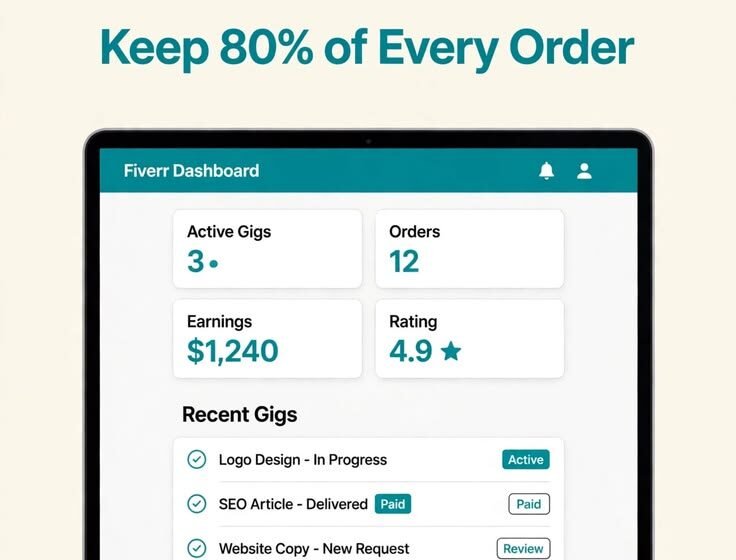
Fiverr’s standard payment terms credit sellers with 80% of the purchase amount for completed orders.
For example:
| Order Amount | Seller Earnings Before Other Costs |
|---|---|
| $10 | $8 |
| $20 | $16 |
| $50 | $40 |
| $100 | $80 |
| $200 | $160 |
| $500 | $400 |
These figures illustrate the standard 80% seller share before taxes, withdrawal charges, currency conversion, and other applicable expenses.
You should not assume that you will receive a particular number of orders every week or month.
For example, if you complete five $20 orders, your Fiverr earnings would be $80 before other costs. But getting those five orders depends on demand, competition, your service quality, and your ability to attract buyers.
The best strategy is to focus on developing a reliable service and building long-term client relationships rather than expecting instant income.
How Does Fiverr Pay Freelancers?
After completing an order, your earnings appear in your Fiverr account.
However, completed-order earnings are not always available for immediate withdrawal.
Fiverr’s standard policy states that earnings generally enter a clearance period of 14 days after an order is completed. Certain eligible seller categories have a shorter clearance period.
Available withdrawal methods may include:
- PayPal.
- Payoneer.
- Bank transfer through Payoneer.
- Other methods available to eligible accounts.
The available options, fees, minimum withdrawal amounts, and processing times depend on the payment method and your location.
Always check the current payout information in your Fiverr Earnings page before accepting work.
How to Make Money on Fiverr From Nigeria
If you’re in Nigeria, Fiverr can be one option for exploring international freelance work.
However, you should prepare for a few practical issues before starting.
1. Use Accurate Account Information
Register using your genuine information.
Make sure your name, country, phone number, and identity details are accurate and consistent with the documents you may need for verification.
Do not create multiple accounts to try to improve your chances of getting orders. Fiverr’s account rules generally permit only one freelancer account per person.
2. Prepare for Identity Verification
Fiverr may request identity or phone verification as part of its seller requirements.
Have a valid government-issued identification document available if verification is requested.
Do not use another person’s identity or documents.
3. Check Your Payment Options
Before you begin selling, check which withdrawal methods are available to your account in Nigeria.
Payoneer and other payment options may have country-specific requirements.
Check:
- Whether the payment service supports your location.
- Whether you can withdraw to your Nigerian bank account.
- Minimum withdrawal amounts.
- Transaction fees.
- Currency conversion charges.
- Identity verification requirements.
Fiverr notes that payout methods have different location restrictions, so don’t assume every listed method will work for every Nigerian freelancer.
4. Plan for Internet and Power
You need reliable internet access to communicate with clients and deliver orders.
If possible, arrange backup internet access and a suitable power solution.
5. Consider International Time Differences
Some buyers may be based in the United States, United Kingdom, Canada, or other countries.
Be clear about your availability and delivery schedule.
You do not need to promise 24-hour availability to appear professional. Set realistic working hours and communicate them clearly.
Best Free Tools to Help You Make Money on Fiverr
You can start learning many Fiverr services without purchasing expensive software.
Here are useful tools to explore.
| Tool | What It Helps You Do |
|---|---|
| Canva | Create graphics and presentations |
| Google Docs | Write and edit documents |
| Google Sheets | Organise data and spreadsheets |
| Microsoft Excel | Perform data entry and calculations |
| CapCut | Edit videos |
| Grammarly | Review writing and grammar |
| ChatGPT | Brainstorm, outline, and organise ideas |
| Trello | Organise tasks and projects |
| Google Drive | Store and share files |
| Photopea | Edit images in a browser |
Some tools have free and paid features. Review their current plans before depending on a particular feature for client work.
How to Avoid Fiverr Scams
Beginners can be vulnerable to people who take advantage of their desire to get their first order.
Here are important safety practices.
1. Don’t Pay Anyone to Give You a Fiverr Job
You should not need to pay a stranger a registration fee, deposit, or commission to receive a genuine order.
Be suspicious of anyone who promises guaranteed orders in exchange for money.
2. Be Careful With Suspicious Links
Some scammers send messages containing fake Fiverr login pages or links designed to steal account details.
Only sign in through Fiverr’s official website or application.
Never share your password or verification codes.
3. Keep Payments on Fiverr
Do not accept requests to move payments outside Fiverr when doing business initiated through the platform.
Use Fiverr’s official ordering and payment processes to maintain platform protections.
4. Don’t Share Your Personal Banking Information
A buyer does not need your password, bank login, card PIN, or one-time security code to place a normal Fiverr order.
Never share these details.
5. Avoid Fake Orders and Review Manipulation
Do not buy fake reviews, arrange dishonest orders, or ask people to manipulate your ratings.
These practices can put your account at risk.
6. Read Fiverr’s Rules
Not every service is permitted on the platform. Certain regulated services, fraudulent activities, unauthorised access, and other prohibited services are not allowed.
Read Fiverr’s current policies before publishing a Gig.
Common Mistakes Beginners Make on Fiverr
Many new sellers struggle because they make avoidable mistakes.
Here are some problems to watch out for.
Mistake 1: Creating Too Many Gigs Immediately
Creating several unrelated Gigs can make it difficult to focus on quality.
Start with one service you understand and improve it before expanding.
Mistake 2: Copying Other Sellers’ Gigs
Copying another freelancer’s description, images, or portfolio is not a good strategy.
Study successful listings to understand how they present their services, but create original content.
Mistake 3: Offering Services You Cannot Deliver
Don’t advertise advanced services simply because they appear profitable.
Learn the required skills first and practise until you can deliver work confidently.
Mistake 4: Setting Unrealistic Delivery Times
A very short delivery time may attract attention, but it can also lead to late orders and unhappy buyers.
Set deadlines that allow enough time for quality work.
Mistake 5: Writing Poor Gig Descriptions
A vague description makes it difficult for customers to understand your offer.
Explain exactly what is included, what is excluded, and what you need from the buyer.
Mistake 6: Giving Up Too Quickly
Your first order may not arrive immediately.
Continue improving your skills, portfolio, and Gig presentation. Review your results and make thoughtful changes rather than changing everything every day.
Mistake 7: Ignoring the Client’s Instructions
Always read the order requirements carefully.
If a client requests something outside the original package, clarify the scope and agree on an appropriate extra or revised order before doing additional work.
A 30-Day Plan to Start Making Money on Fiverr
If you’re a complete beginner, here’s a simple plan to help you get started.
Week 1: Choose and Learn a Skill
- Research Fiverr service categories.
- Choose one service you can learn.
- Watch free tutorials.
- Practise using the relevant tools.
- Study examples of professional work.
Week 2: Build Your Portfolio
- Create three to five sample projects.
- Review your work for mistakes.
- Improve your samples.
- Organise your portfolio.
- Decide exactly what service you want to sell.
Week 3: Create Your Fiverr Account and Gig
- Register for Fiverr.
- Activate your freelancer account.
- Complete your profile.
- Prepare your Gig title.
- Write your description.
- Create your pricing packages.
- Add relevant tags and images.
- Publish your Gig after completing the required checks.
Week 4: Improve and Promote Your Service
- Review your Gig presentation.
- Study similar services on Fiverr.
- Share your portfolio through appropriate professional channels.
- Respond to genuine buyer enquiries.
- Track your Gig performance.
- Improve weak areas.
You may not receive an order within 30 days. That’s okay. The purpose of this plan is to help you establish a professional foundation and start building momentum.